- Creators at Notion
- Posts
- Around the World with Notion Creators
Around the World with Notion Creators

Creators at Notion
December 01, 2025
The Notion team has been busy taking Make with Notion to cities around the world this fall! I just got back from Sydney (where I may or may not have conquered my fear of birds 😬) and have already jetted off again for London as our next round of Creator events kick off this week. If we’ve crossed paths recently, thank you for showing up and inspiring me with all the ways you’re bringing ideas to life in Notion. I’ve been leaving each event feeling more energized than jet lagged (well… mostly). And if we haven’t met yet, I hope this newsletter gives you a glimpse into what’s been happening across the global Creator community and how you can tap into what’s next!
—Danielle
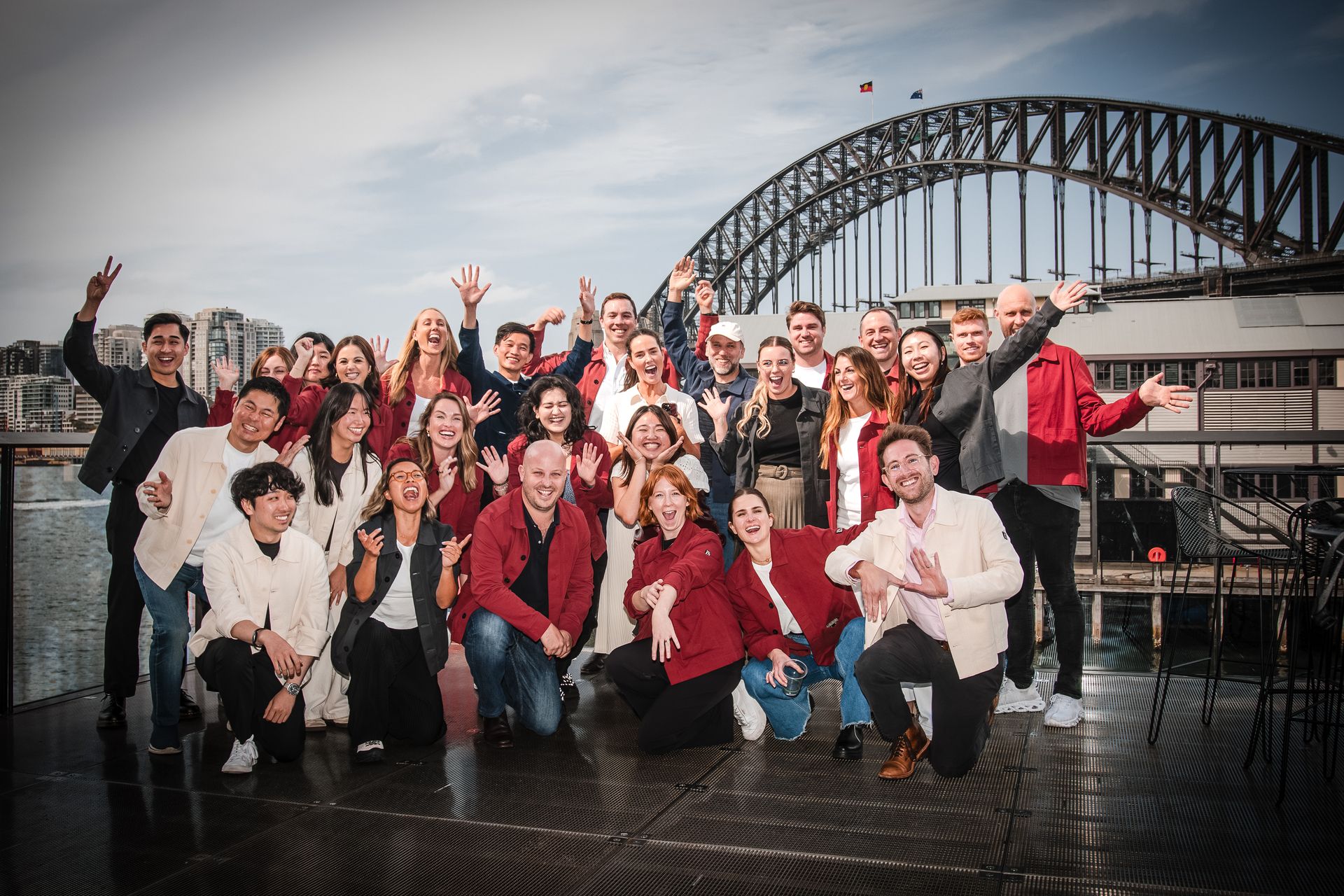
Notion on the Ground, IRL
This was a special one 🐨 At SXSW Sydney, we had two creators close to the brand speak about how they use Notion for their creative work. It’s important to mention… both creators drew the biggest crowds on the community day at SXSW!

Sam Despo shared how he went from teaching marketing communities in his bedroom to presenting his full-circle Notion journey
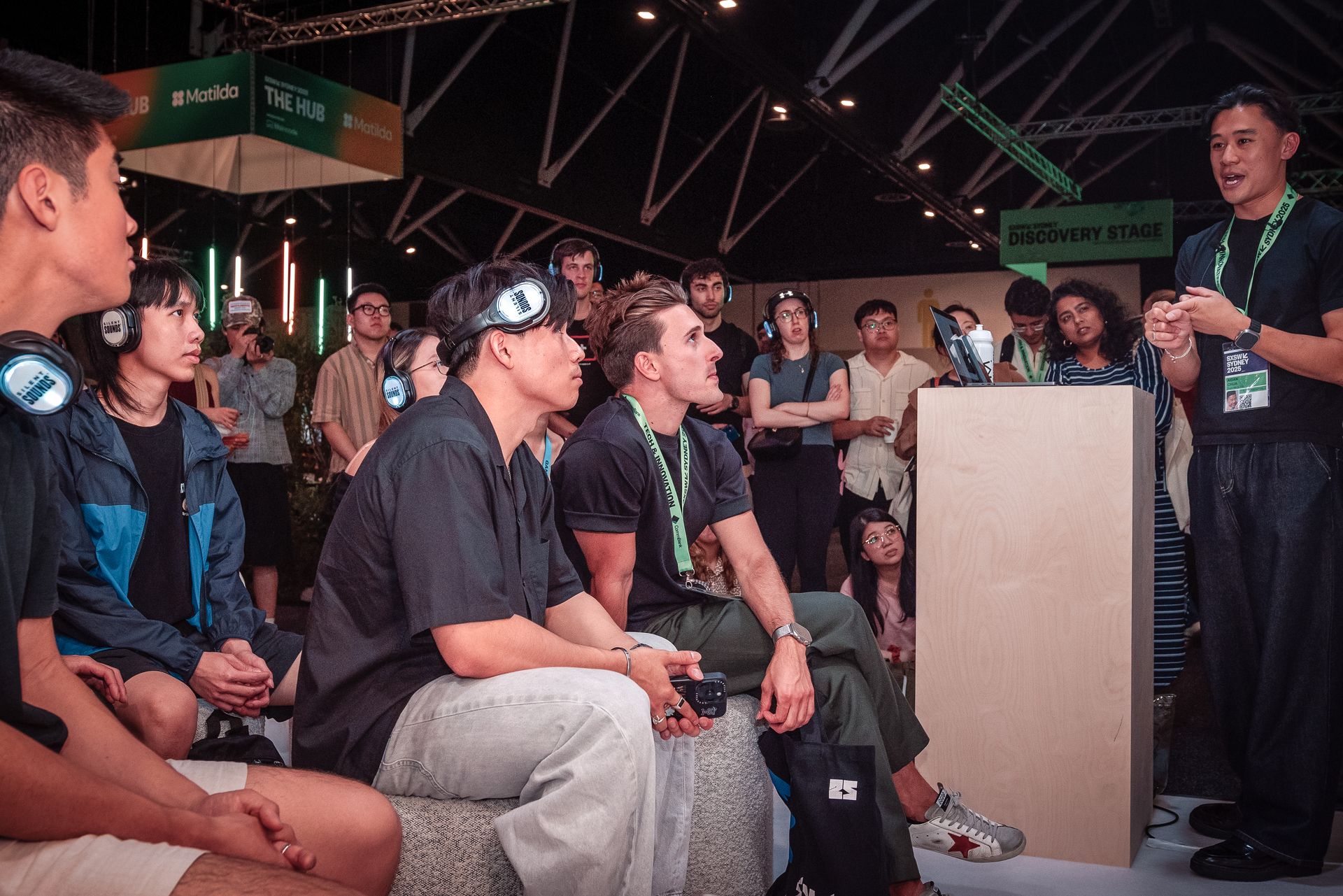
Aidan Chua spoke about using Notion as his “pocket-sized brain,” where ideas grow and turn into content, and inspired attendees at Community Day.
At MWN, we also were able to connect with several creators during the daytime events, as well as the Community Afterparty. A huge shout out to everyone who made the time to meet and hang out with us! Vanessa Li, Jiny Maeng, Jason Tran, Axel Sukitano and Isaac/Brand Chemistry, Workbaby and Lexie Murray amongst the list!
Noodle on This!
Students, we want to send you something ahead of finals week! Fill out your info on this Noodle Gifting Form so we can get a little surprise headed your way. Note: only available to students in the US at this time.
We’ll also be heading to select campuses across the U.S. soon with events and opportunities. If you’re a student at any of the universities below, keep an eye out and we’ll be sharing more details soon!
University of Southern California
Northeastern University
Cornell University
Georgia Institute of Technology
University of California, Los Angeles
…and more!
Notion Tools for Creators Who Stay Ahead: Map View
This is your BFF for staying on top of all your locations, without losing your mind.
Map View lets you see database items on an interactive map, making it easy to plan content shoots, track locations for your projects, or organize collaborations across multiple spots.
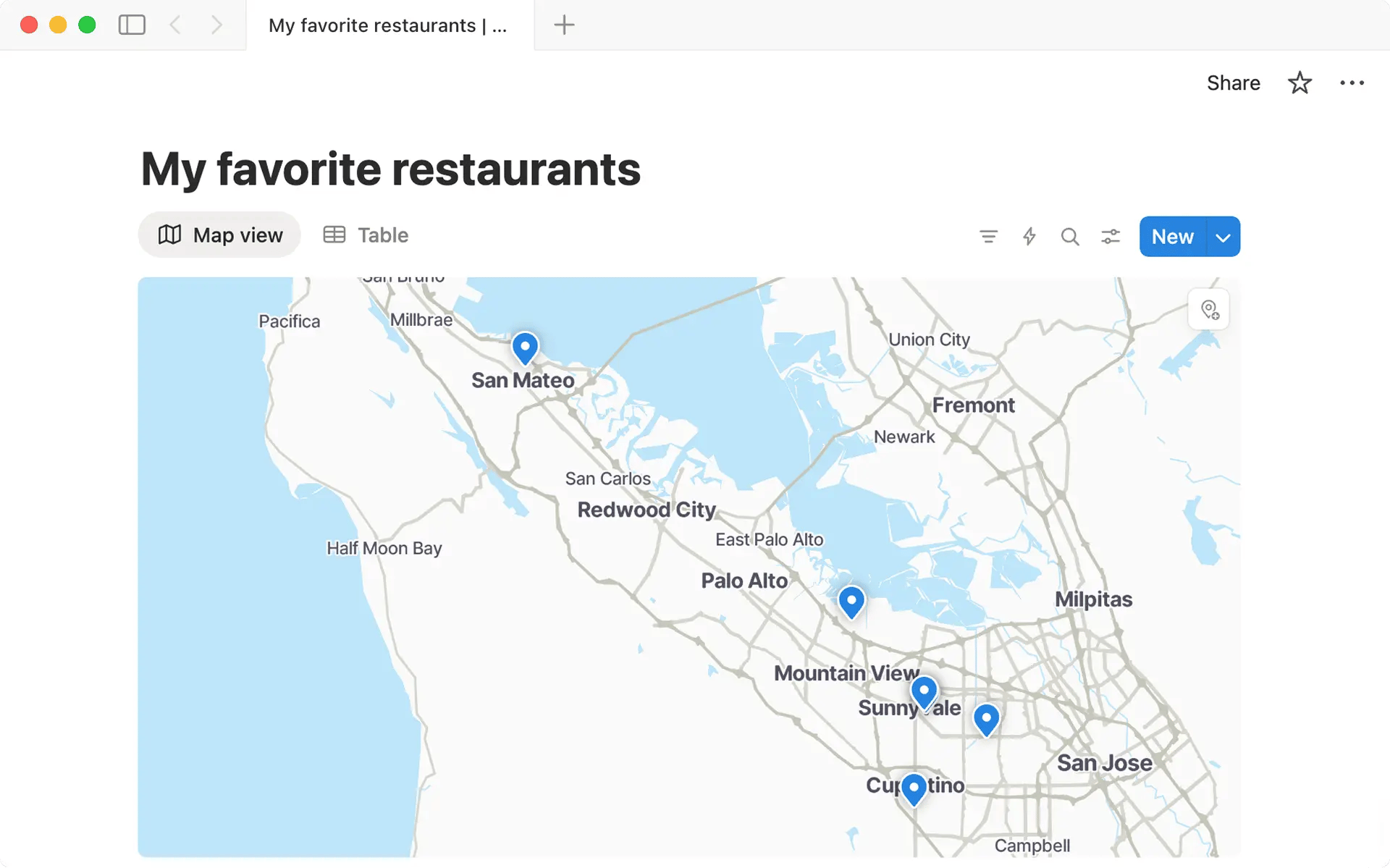
Some other ways Creators can use Map View:
Keep track of all the underrated restaurants, hidden gem cafés, or niche activities you plan to feature in an upcoming series.
Organize collab or event spots by priority, date, or type to stay on top of your projects.
Visualize all the cities and iconic locations you’ve visited before by entering names, addresses, or using your current location as place properties.
No more digging through spreadsheets, messy notes app entries, or cluttered pins on your navigation apps—just a clear view of where you need to be!
Kim Shui x Notion: Behind the Scenes of NYFW
Six months of prep, one 10-minute runway—how does fashion designer Kim Shui keep it all together? Notion, of course! From her perspective, Notion is the ultimate collaboration hub: everyone has access to updates, deadlines, and details in one place, so nothing falls through the cracks.
In this blog, Notion talks with Kim about her creative process, the complexities of being a designer in today’s digital landscape, and how she used Notion to organize her New York Fashion Week (NYFW) preparations.
“Having that single source of truth kept us aligned so I could stay focused on the creative vision, even with the scale and pressure of NYFW,” Kim said.
Watch how Kim and her team bring their big NYFW ideas to life using Notion.

Holiday Gift Guide Template

Nothing says “organized and thoughtful” like a perfectly planned gift list. And yes, even creators with a million deadlines can slay this!
The Holiday Gift Guide template helps you track gift ideas, links, images, prices, and recipients, all in one place. Let Notion keep you ahead of the game so you can snag the best deals, or maybe even impress your friends and family with how effortlessly you stay on top of it all.
AI Agents in Action
We’ve loved seeing how Notion’s new AI Agents are supercharging creators’ workflow! These creators are sharing their favorite ways to use AI Agents—and hopefully sparking some ideas for your own:
Phillip Im shows how Notion’s AI Agent can transform the way you work, whether you’re a new or experienced user.
Jake Beau walks you through how he sets up a second brain using our AI Agent.
Nick Saraev breaks down how everything you handle in Notion, AI Agents can handle automatically and learn from how you work too.
💡Pro Tip💡 Ever wish your AI Agent could think like you? With personality templates, you can upload your preferences to teach your Agent your scripting style, go-to inspirations, and how you like to get down to business. Check out these templates made by Notion and your fellow Creators to get a kick start on personalizing your agent, your way.
Have your own AI Agent story or tips? Tag us on Instagram at @NotionHQ and tell us all about it!